
Wordscapes Search: Word Games
PeopleFunWord
4.750.36K Reviews
- Version
- 1.56.0
- Installs
- 10.00M
- Age Rating
- Everyone
Screenshots
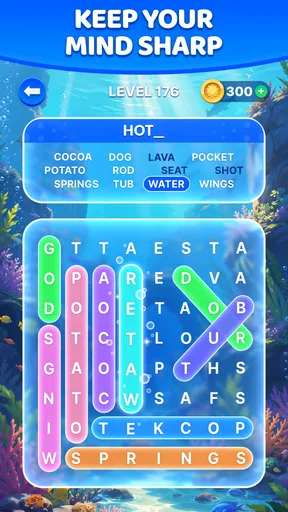
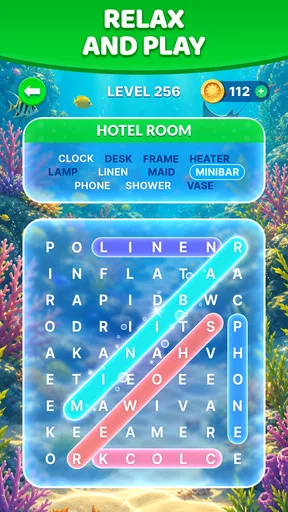

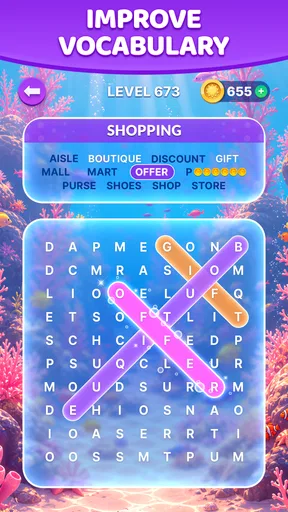
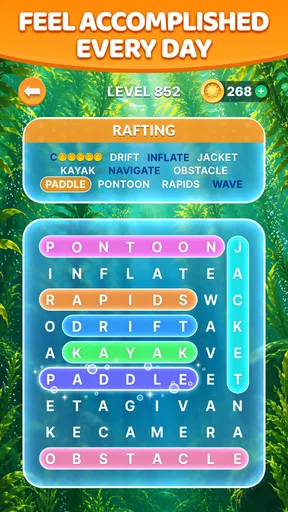
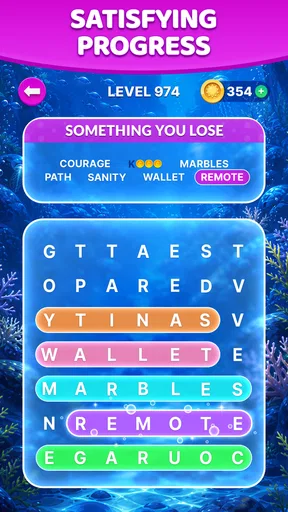
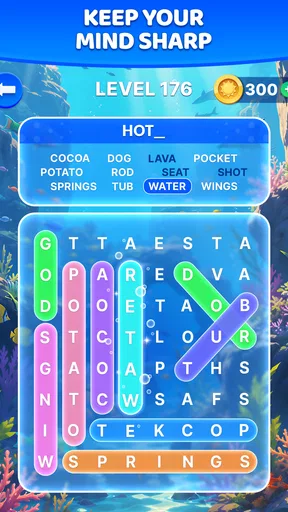
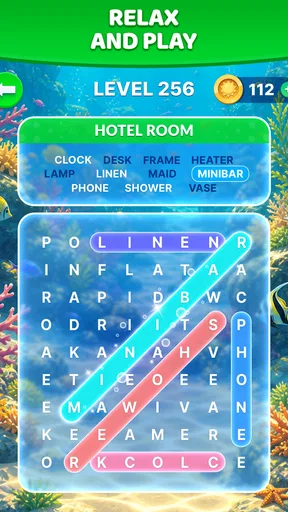
Our Review of Wordscapes Search: Word Games
 Analysis by Appyee
I’m drawn to word games that give me a clear little goal without demanding a long stretch of concentration, and that’s where Wordscapes Search makes a good first impression. I can open it, focus on a letter grid, and work toward finding its hidden words at my own pace. The calm visual style suits that routine, while the search itself gives me something specific to solve rather than leaving me to make words without direction.
What the first puzzles ask of you
The early appeal is simple: scan the letters, spot a word, and swipe across it. That familiar action is easy to understand, so I don’t have to learn a complicated set of rules before I can play. The pleasure comes from moving between quick discoveries and the occasional pause when a word is harder to see than it first appears.
That makes the game a natural fit for small breaks. I could use a level while waiting for a kettle to boil or settling into a quiet moment before bed. It is less suited to someone who wants a story, a large strategic system, or a multiplayer match to organize their play. The main attraction is the puzzle in front of you, not a broader world to explore.
How progress feels from one grid to the next
Each completed puzzle gives me a compact sense of closure, and new levels provide a reason to continue. The challenge gradually increases, so the basic word-search idea does not feel exactly the same every time. Still, this is a steady, familiar form of progression rather than a game built around dramatic twists. If you enjoy seeing one small task through before moving on, that rhythm is satisfying; if you need every session to introduce a radically different activity, it may feel repetitive.
The game is made by PeopleFun, a developer working in a genre where straightforward controls matter. Its rating averages 4.7 from around 229,000 ratings, and it has more than 10 million installs. Those figures suggest a broad audience, but they do not tell me whether its particular pace will suit you. I’d judge that by whether finding words in a fixed grid is the sort of low-pressure challenge you actually enjoy.
Difficulty, hints, and the value of taking your time
When a word refuses to stand out, I find it more useful to change my search pattern than to swipe randomly. I look for less common starting letters, scan in more than one direction, and then return to clusters I might have overlooked. That small shift keeps the puzzle engaging without turning every difficult moment into a reason to spend a hint. The gradual rise in difficulty is welcome, though players who prefer a sharply escalating test may find the challenge gentler than they want.
The game also connects word-finding with definitions, which gives a solved puzzle a little extra value. I wouldn’t treat it as a substitute for a structured vocabulary course, but it can make an unfamiliar word more memorable when I encounter it during play. The educational side works best as a bonus: I can enjoy the search first and take a moment to check a meaning when curiosity strikes.
Who will enjoy this kind of word search
I’d recommend it to people who like familiar word puzzles, want a brief activity they can pause between everyday tasks, or prefer a relaxed presentation over a competitive atmosphere. It can also be a nice shared screen activity: one person can scan from the left while another checks the opposite side, making a quiet puzzle into a simple conversation. For family use, the Everyone age rating makes it broadly accessible, though the best fit still depends on whether a player can comfortably read and search the letter grids.
On the other hand, I’d steer away from it if you want the freedom to build words from a changing rack of letters, as in an anagram game, or if you prefer a daily head-to-head word contest. Those alternatives place more emphasis on generating words, competing, or comparing results. This one keeps the attention on locating words already hidden in a grid, which is a clear strength for some players and a limitation for others.
Free to start, with a spending choice to consider
Wordscapes Search is free to download, with in-app purchases priced from $0.99 to $99.99 per item. I would start without paying and see whether the regular puzzle loop holds my interest. Hints can be tempting when I’m stuck, but using one too quickly can take away the satisfying moment of spotting a word for myself. If a purchase is being considered, I’d first decide what specific friction it would solve rather than treating spending as a necessary part of progress.
For a practical routine, I’d set a small boundary: play a puzzle during a short break, and stop when that break is over rather than letting the next level decide how long I stay. That approach suits a game designed around bite-sized goals, and it helps keep a relaxing habit from turning into an automatic one. If you want a game with deeper planning, a campaign, or a strong competitive ladder, this probably isn’t the right choice; if you want a simple search puzzle, the focused format is the point.
The game is listed as version 1.47.2 and requires Android 7.0 or later. It was released on November 22, 2019, and the current age rating is Everyone. Those details make it easy to check basic compatibility before installing, while the free entry point lets you try the core idea without committing to a purchase.
Overall, I see this as an accessible word-search game whose appeal rests on clear goals and a calm pace. Its levels provide enough forward movement to encourage another round, but the familiar grid format also sets a limit on how varied the experience can feel. If you like searching rather than inventing words, and you’re happy with gradual rather than dramatic progression, it’s an easy one to try.
If you're anything like me, you've probably found yourself wanting a game that’s both relaxing and mentally stimulating. Enter Wordscapes Search, a delightful word puzzle game that’s been my go-to brain teaser for quite some time. Dive in with me as I explore what makes this app a standout in the crowded sea of word games.
Immersive Gameplay
The first thing that caught my eye was the visually pleasing interface of Wordscapes Search. The game combines the simplicity of classic word search puzzles with the engaging challenge of crossword games. The background images are stunning, often featuring serene landscapes that truly help in getting into a relaxed state of mind.
As you start swiping through letters to find hidden words, the game gradually ramps up in difficulty. It’s a satisfying feeling when you spot those elusive words, and the app’s intuitive design makes it easy to lose track of time as you play. The controls are smooth, and I never encountered any lag, which is a huge plus in maintaining the flow of the game.
A Variety of Puzzles
One of the aspects that kept me hooked is the sheer variety of puzzles. Each level presents a new challenge, and the developers have done a fantastic job at keeping things fresh and engaging. Whether you’re a seasoned word smith or a casual player, there’s something in it for everyone. The game offers daily challenges and a plethora of levels, ensuring you won’t run out of content anytime soon.
Moreover, Wordscapes Search frequently updates with new puzzles and features, which keeps the game exciting and encourages me to come back daily. The sense of accomplishment when completing a particularly challenging puzzle is genuinely rewarding.
Boost Your Vocabulary
Aside from the fun factor, playing Wordscapes Search is a great way to enhance your vocabulary. I’ve learned quite a few new words and their meanings thanks to this game. It’s like having a dictionary at your fingertips, but in a more interactive and engaging form.
The game also provides definitions for words you find, which is a neat feature for anyone looking to expand their linguistic horizons. It’s educational, but not in a way that feels forced or boring. Instead, it’s seamlessly integrated into the gameplay, making learning a natural part of the experience.
Community and Social Features
Another aspect that I appreciate is the community element. You can connect with friends and family, compare scores, and even share puzzles. There’s something about friendly competition that adds an extra layer of fun to the game.
In addition, the game has a supportive community where players can share tips and tricks. It’s always nice to know that if you’re stuck on a level, there’s a whole community ready to help out.
Accessibility and Usability
Accessibility is another area where Wordscapes Search excels. The game is available on both Android and iOS, and it runs smoothly on a variety of devices. The developers have clearly put a lot of thought into making sure the game is accessible to as many players as possible.
Whether you’re playing on a smartphone or a tablet, the experience remains consistent and enjoyable. The game’s design is intuitive, so even if you’re not tech-savvy, you’ll find yourself navigating through it with ease.
In-App Purchases and Ads
While the game is free to download and play, there are in-app purchases available for those who want to enhance their experience. You can buy hints or remove ads, but the game is perfectly enjoyable without spending any money. The ads are not intrusive, which is a big relief compared to other games that bombard you with them.
If you prefer an uninterrupted experience, the option to purchase an ad-free version is there, but it’s by no means necessary to enjoy the game.
To wrap it up, Wordscapes Search is a fantastic game for anyone who enjoys word puzzles and is looking for a relaxing yet challenging experience. Its beautiful design, variety of puzzles, and educational value make it a must-try for any word game enthusiast. Whether you’re looking to unwind or give your brain a workout, this app has got you covered. Happy puzzling!
Privacy and Permissions
See what permissions an app requests and how it handles your data.
- Wi-Fi connection information
- view Wi-Fi connections
- Other
- view network connections, full network access, control vibration, prevent device from sleeping, Google Play license check
Verdict
Strengths of Wordscapes Search: Word Games
- Engaging puzzles enhance vocabulary skills.
- Visually appealing with a clean interface.
- Daily challenges keep gameplay fresh.
- Offline play available for convenience.
- Suitable for all age groups.
Limitations of Wordscapes Search: Word Games
- In-app purchases can become costly.
- Occasional ads may interrupt gameplay.
- Some levels can be repetitive.
- Limited hints without purchase.
- No multiplayer mode available.
Other Releases by PeopleFun
View All


Similar Picks in This Category
View All
Word Search - Word Puzzle Game
Bluetile4.8

Word Search Quest - Puzzles
Blackout Lab4.8

CodyCross: Crossword Puzzles
Fanatee, Inc.4.7

Words of Wonders: Crossword
Fugo Games4.9

Wordscapes: Word puzzle game
PeopleFun4.7

Word Search Explorer
PlaySimple Games4.9
Frequently Asked Questions
What is Wordscapes Search: Word Games?
Wordscapes Search: Word Games is a captivating word puzzle game that combines the challenge of word searches with the strategy of crossword puzzles. Players need to swipe letters to form words and solve each level, making it a perfect choice for those who love enhancing their vocabulary and mental agility.
Is Wordscapes Search free to play?
Yes, Wordscapes Search is free to download and play on both Android and iOS devices. However, it does offer optional in-app purchases for hints and other features that can enhance the gaming experience. These purchases are entirely optional and not necessary to enjoy the game.
What are the main features of Wordscapes Search?
Wordscapes Search offers a variety of features including thousands of levels with increasing difficulty, daily challenges to keep your skills sharp, and beautiful backgrounds that change as you progress. It also provides hints to help you when you're stuck, and the ability to play offline, making it a versatile option for word game enthusiasts.
Does Wordscapes Search require an internet connection?
No, Wordscapes Search can be played offline without an internet connection. This makes it an excellent choice for playing on the go, whether you're commuting or traveling. However, some features like daily challenges and updates may require an internet connection to access.
Can I sync my progress across multiple devices?
Yes, Wordscapes Search supports progress synchronization across multiple devices. By connecting the game to your social media account or using the game's built-in cloud save feature, you can ensure that your progress is saved and accessible no matter which device you're playing on.
Play our best games!


